Management
What happened to a vehicle, across drivers
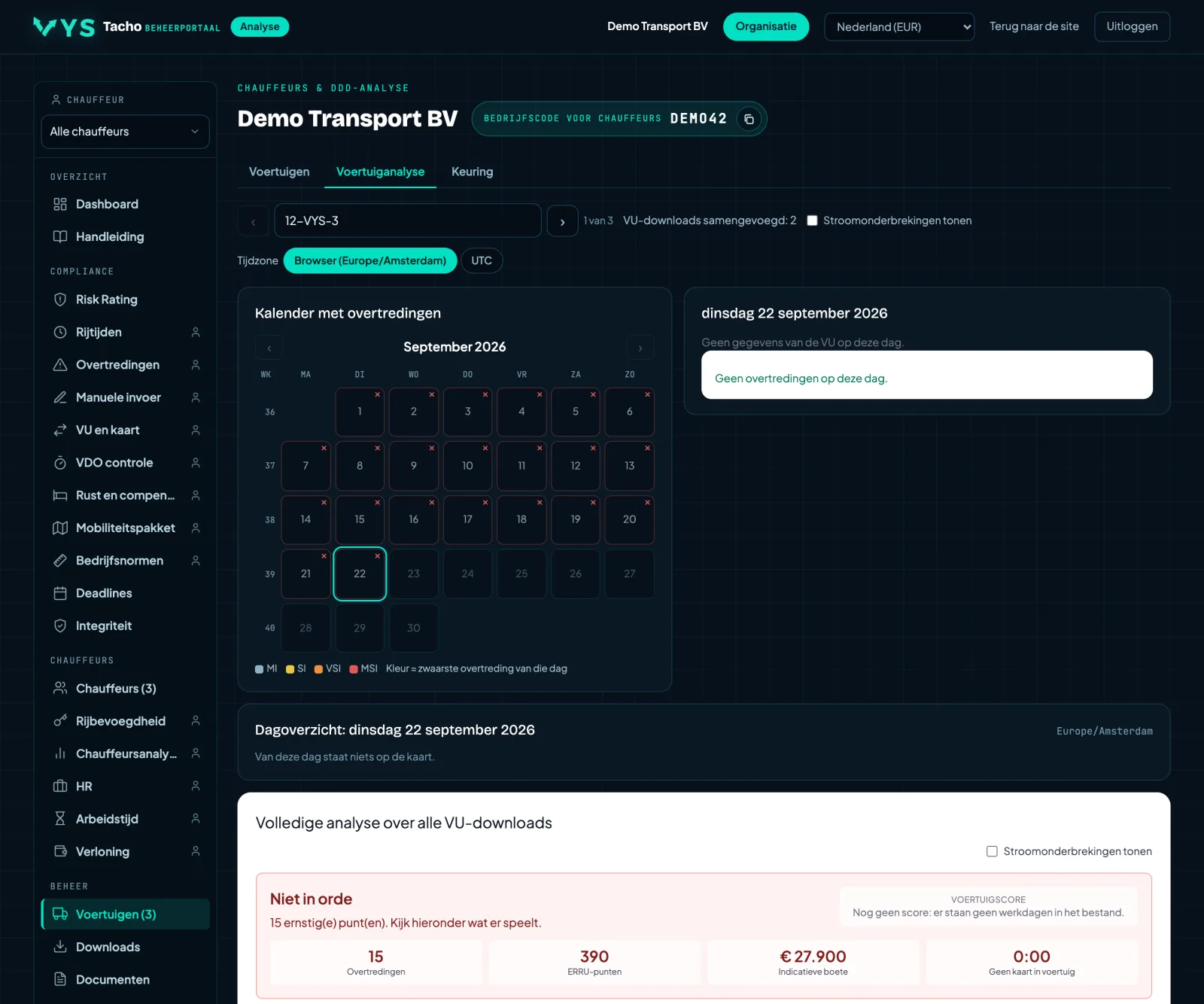
The same structure as the driver analysis, but per vehicle: timelines per day from the vehicle unit, with who was driving. That way you see what happened to a vehicle, regardless of which driver was in it.
- Timelines per day from the vehicle unit file.
- Per day you can see which driver was driving.
- Handy for a question about a vehicle rather than about a person.
More in Management
Other features
ManagementVehicles and vehicle unitYour company's vehicles with registration number, fleet number, the tachograph fitted and the last VU download.ManagementCross check: hire vehicles and hired staffA hire vehicle or a hired driver is only with you temporarily, but their infringements do count.ManagementWho drove when, across the whole fleetWhich driver was in which vehicle, with card insertion, withdrawal, slot and kilometres.ManagementTachograph calibrationPer vehicle the date of the next tachograph inspection, with the registration number, the base location and the workshop...ManagementDownloading DDD filesAll retrieved tachograph files in one place. Choose a period and drivers or vehicles, and retrieve everything from one...ManagementLatest downloadsThe last thirty downloads of vehicle units and driver cards, newest at the top, with vehicle or...
One week free, with your own files
Request a demo and we open the portal for you for a week with the DDD files from your own tachographs and driver cards. That way you see what comes out of the files of your drivers and vehicles. The demo is free of charge.
Request a free demo